Windows - Security - Mitigate Office & Windows HTML RCE Vulnerability ( CVE-2023-36884 )
Mitigate CVE-2023-36884 by blocking cross-protocol file navigation across nine Office binaries on Windows endpoints
Worklet Details
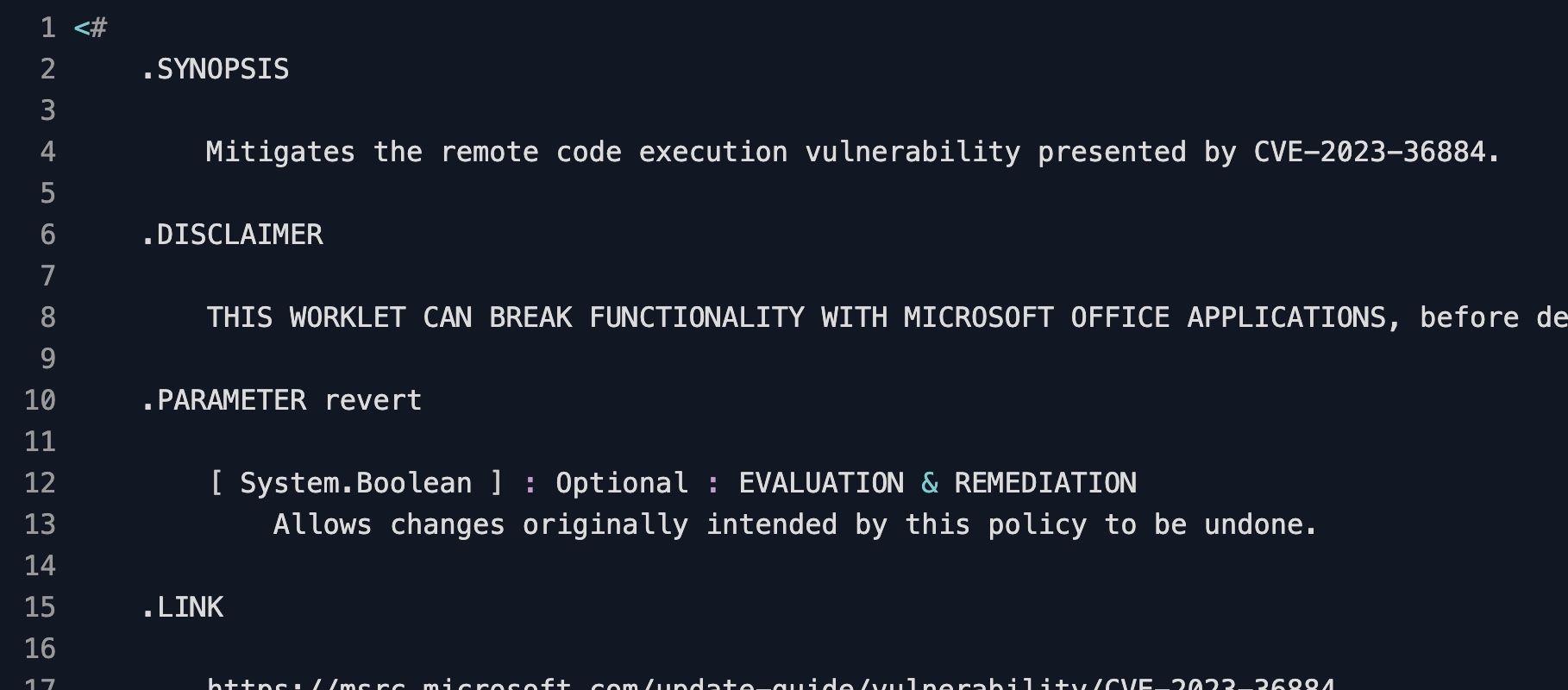
What the CVE-2023-36884 mitigation Worklet does
This Automox Worklet™ applies Microsoft's official workaround for CVE-2023-36884, the Office and Windows HTML remote code execution chain that Storm-0978 weaponized in mid-2023 to drop the RomCom backdoor through phishing attachments. The vulnerability lets a specially crafted Office document pivot through search-ms: and related cross-protocol handlers to execute attacker-controlled code in the context of the user who opens it.
The Worklet writes nine values under HKLM:\SOFTWARE\Policies\Microsoft\Internet Explorer\Main\FeatureControl\FEATURE_BLOCK_CROSS_PROTOCOL_FILE_NAVIGATION, one per Office binary that the exploit chain has been observed to abuse: Excel.exe, Graph.exe, MSAccess.exe, MSPub.exe, Powerpnt.exe, Visio.exe, WinProj.exe, WinWord.exe, and Wordpad.exe. Each value is set to 1, which disables cross-protocol navigation from that process and closes the handler pivot the exploit depends on.
A revert switch is exposed on the policy through the optional revert variable. When revert is set, each value is written as 0 instead of 1, which restores the pre-mitigation behavior. The Worklet selects the 64-bit or 32-bit registry view automatically based on the endpoint's operating system architecture and logs registry activity to the Automox activity log.
Why mitigate the Storm-0978 RomCom exploit chain
CVE-2023-36884 was disclosed on July 11, 2023 with active exploitation already underway. Storm-0978, also tracked as RomCom and DEV-0978, used it against defense and government organizations in Europe and North America by attaching malicious Word documents themed around the Ukrainian World Congress and the NATO Vilnius summit. Opening one of those documents silently fetched a remote payload, deployed the RomCom backdoor, and in some intrusions chained to ransomware.
Microsoft initially shipped only the registry workaround for this CVE and did not deliver a code-level fix on the Office side until the August 2023 update channel. Pushing the registry values through an Automox policy reaches the offline executive laptop, the stale VDI image, and the contractor workstation that has not checked in for a month, all in the same evaluation cycle. Recurring evaluation re-pins the values any time an Office update or hardening baseline reset blanks them, so the mitigation remains in place until the patched Office build is confirmed everywhere.
How the cross-protocol navigation block works
Evaluation phase: The Worklet opens the architecture-appropriate registry view (Registry64 or Registry32) on HKLM and attempts to open the FEATURE_BLOCK_CROSS_PROTOCOL_FILE_NAVIGATION subkey through the .NET Microsoft.Win32.RegistryKey API. It walks the nine expected value names (Excel.exe, Graph.exe, MSAccess.exe, MSPub.exe, Powerpnt.exe, Visio.exe, WinProj.exe, WinWord.exe, Wordpad.exe) and confirms each is present with the desired data of 1. A missing subkey, a missing value, or any value that does not match the desired state writes an error to stderr and exits 2, which triggers remediation. When the revert variable is set, the desired value becomes 0 instead of 1 and the same logic runs in reverse.
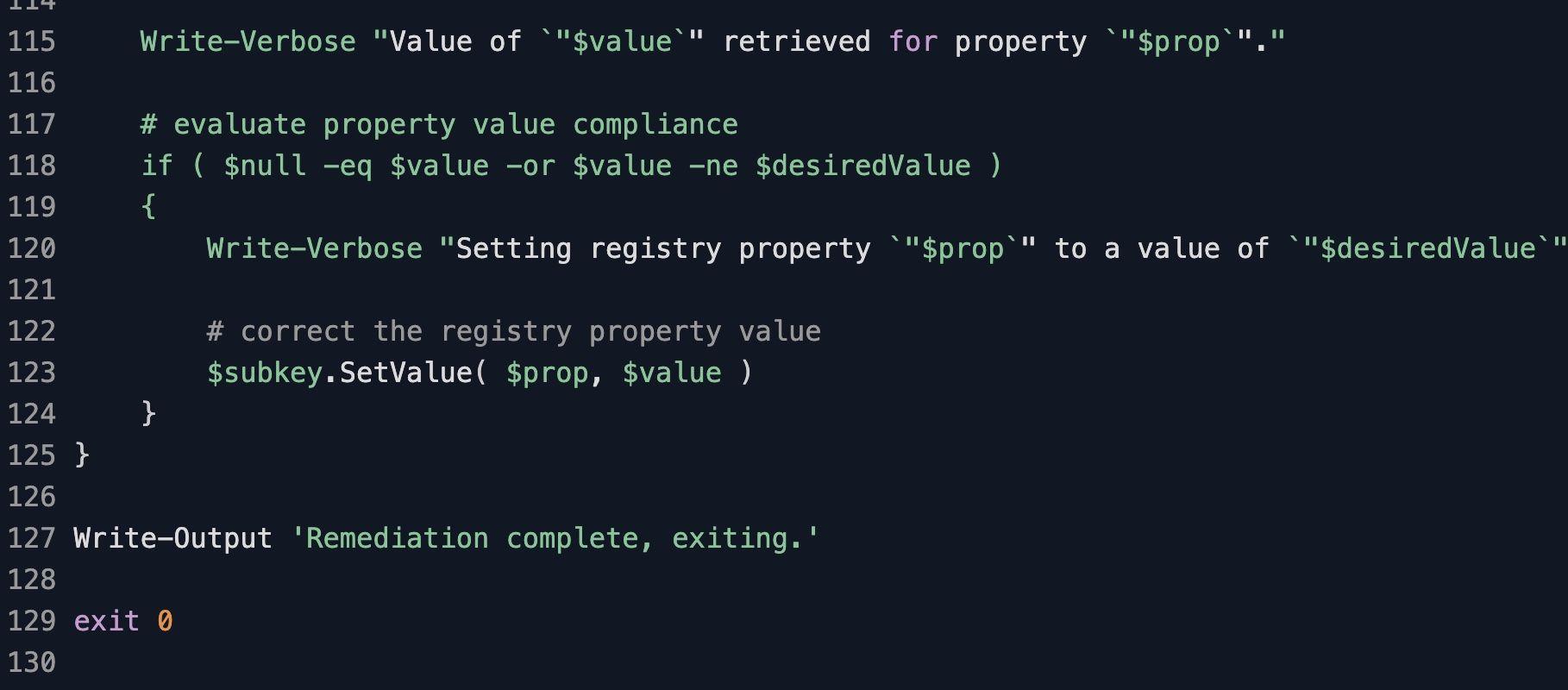
Remediation phase: The Worklet opens the same registry view with write access, calls CreateSubKey if the FeatureControl path does not yet exist, and then calls SetValue on each of the nine Office binary names with the desired DWORD data. Each non-compliant property is corrected in a single pass, and the policy emits a final "Remediation complete, exiting." message before exiting 0. With the revert variable set, the same nine values are written as 0 instead of 1.
CVE-2023-36884 mitigation requirements
Windows 10, Windows 11, or Windows Server with Microsoft Office, Visio, Project, or WordPad installed
Automox agent running with SYSTEM-level access, which is the default and is required to write under HKLM
PowerShell available on the endpoint; the Worklet uses the .NET Microsoft.Win32.RegistryKey API rather than registry cmdlets
FixNow compatible, so security teams can push the mitigation as an immediate response action
To remove the mitigation on a tagged group, set the revert variable to true in the policy and re-run
Review Microsoft's advisory before deploying, since blocking cross-protocol navigation can break Office workflows that rely on search-ms: or other handler launches
Expected registry state after CVE-2023-36884 mitigation
After a successful run, regedit on the endpoint shows the FEATURE_BLOCK_CROSS_PROTOCOL_FILE_NAVIGATION subkey populated with all nine Office binary names and each DWORD set to 1. Microsoft's advisory workaround is in effect. Office applications can no longer follow search-ms: or related cross-protocol handler URIs from within an opened document, which closes the exploit path that the RomCom delivery chain depends on. Office workflows that rely on cross-protocol launching from those processes will also fail to navigate, which is the trade-off Microsoft documents.
Validate from the endpoint with a single PowerShell call: Get-ItemProperty 'HKLM:\SOFTWARE\Policies\Microsoft\Internet Explorer\Main\FeatureControl\FEATURE_BLOCK_CROSS_PROTOCOL_FILE_NAVIGATION'. Every Office binary property should return 1. For audit evidence, export the FeatureControl subkey to a .reg file with reg.exe export and attach it to the policy run record. The mitigation is durable across reboots and Office updates; only an administrator removing the key or running this Worklet with the revert variable set will reverse the protection. Once the patched Office build is confirmed on the endpoint, you can schedule the revert run, since Microsoft's update addresses the underlying defect and the registry workaround is no longer required.
Loading...
Consider Worklets your easy button
What's a Worklet?
A Worklet is an automation script, written in Bash or PowerShell, designed for seamless execution on endpoints – at scale – within the Automox platform. Worklets deploy named-CVE mitigations within hours of disclosure, perform configuration, remediation, and install or remove applications and settings across Windows, macOS, and Linux.

AUTOMOX + WORKLETS™
Supercharge your endpoint management
Uncover new possibilities with simple, powerful automation.
By submitting this form you agree to our Master Services Agreement and Privacy Policy