macOS - Forensics - Get Automox Agent Log (Amagent.log)
Retrieve amagent.log contents from macOS endpoints into the Automox Activity Log for remote troubleshooting
Worklet Details
What the Mac agent log retriever does
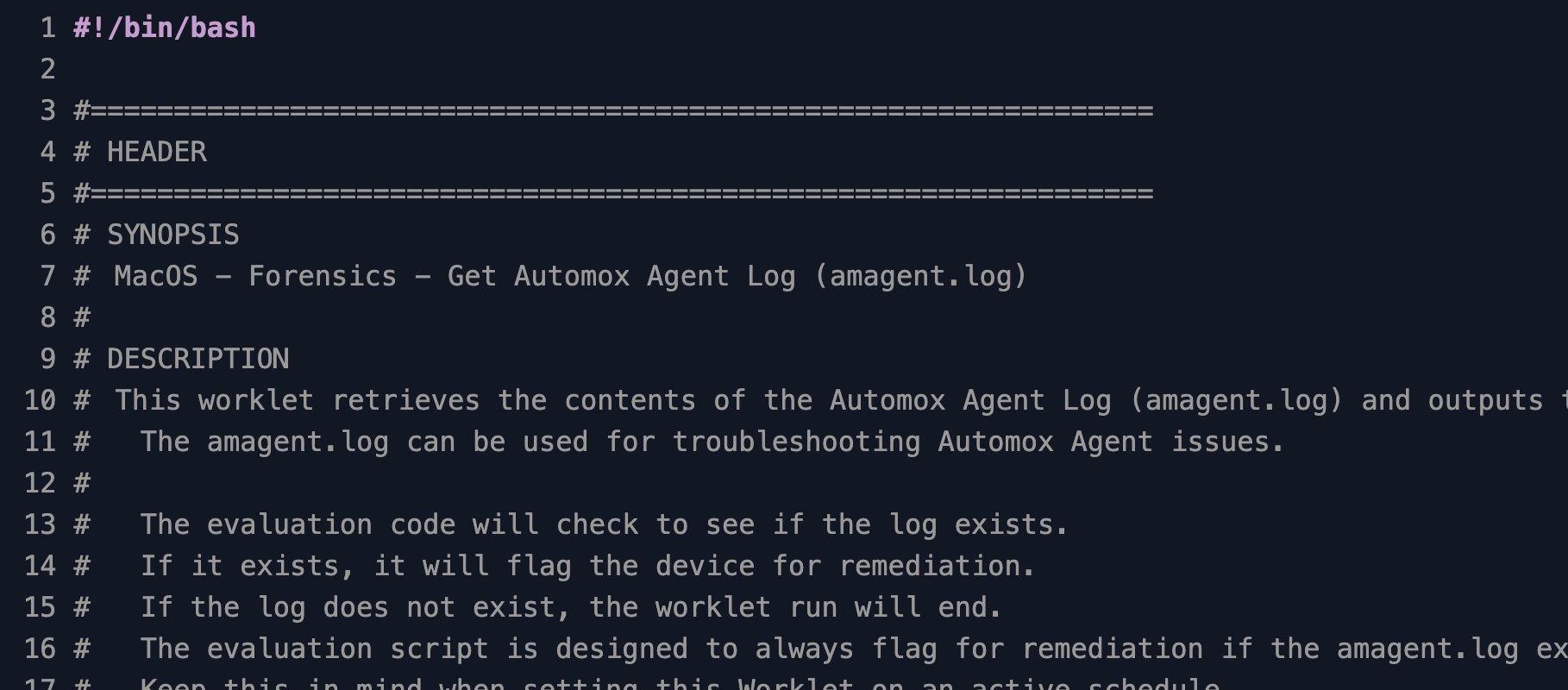
This Automox Worklet™ reads the Automox Agent log on a macOS endpoint and prints the requested portion to the Automox Activity Log for that endpoint. Both the evaluation and remediation scripts target /var/log/amagent/amagent.log, which is where the macOS agent writes its runtime log.
The Worklet exposes four retrieval modes selected by the worklet_mode variable in the remediation script. Mode 1 returns the last N lines with tail -n (default 100, controlled by the desired_line_count variable). Mode 2 streams the entire file with cat. Mode 3 returns every line matching desired_date with grep. Mode 4 narrows mode 3 to the last N matching lines by piping grep into tail.
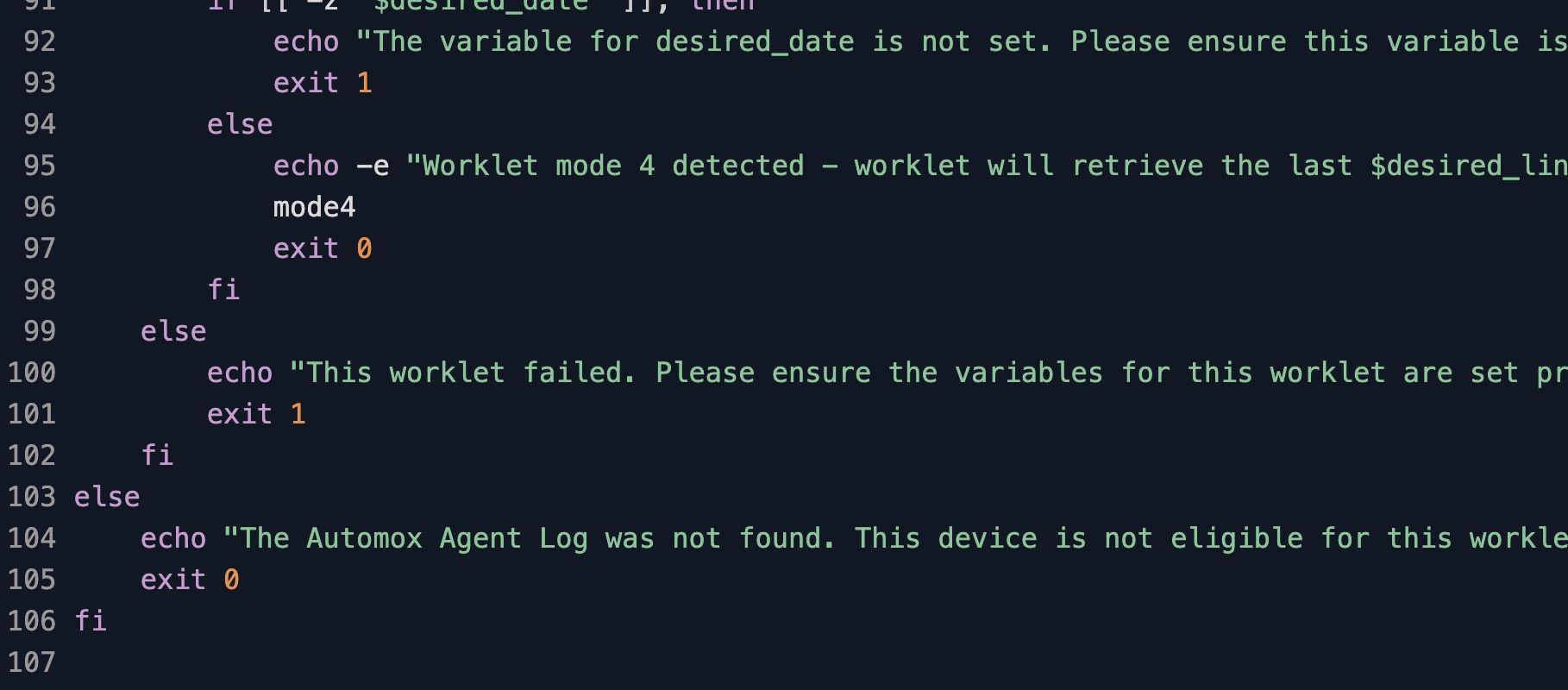
Modes 3 and 4 read the desired_date variable as a free-text grep pattern against each line of the log. To match the timestamp the agent writes at the start of each entry, pass the date as yyyy/mm/dd. If desired_date is empty when mode 3 or 4 is selected, the script exits 1 with an error message rather than dumping the whole file.
Why pull Mac agent logs without touching the laptop
When the Automox Agent on a Mac stops checking in, fails to install a patch, or reports an unexpected error, the answer usually sits inside amagent.log. Reading it locally costs time you do not have: a remote session has to be scheduled, the end user has to be available, sudo has to be available, and the log itself has to be copied off to somewhere readable. None of that scales when the same symptom shows up on twenty endpoints across three time zones.
Scheduling this Worklet against the affected Macs, or running it as a FixNow against a single endpoint, pulls /var/log/amagent/amagent.log into the Automox Activity Log alongside the policy run history. Pick a retrieval mode (tail, full file, or filtered by timestamp), and the same admin who triaged the failed run reads the diagnostic lines in the console without needing SSH access or screen-share time on the user's laptop.
How Mac agent log retrieval works
Evaluation phase: The evaluation script tests for /var/log/amagent/amagent.log with a -f file test. If the log file exists, the script exits 1 and the endpoint is flagged for remediation. If the file is missing, the script exits 0 and the endpoint is reported as not eligible, so the Worklet quietly skips Macs that have no agent log to retrieve.
Remediation phase: The remediation script reads worklet_mode and dispatches to one of four commands against /var/log/amagent/amagent.log. Mode 1 runs tail -n "$desired_line_count". Mode 2 runs cat. Mode 3 runs grep "$desired_date". Mode 4 runs grep "$desired_date" | tail -n "$desired_line_count". Modes 3 and 4 exit 1 if desired_date is unset. The output is written to stdout, which the Automox Agent collects and posts to the endpoint's Activity Log entry for that policy run.
Mac agent log retrieval requirements
macOS endpoint with the Automox Agent installed and writing to /var/log/amagent/amagent.log
Root context for the running script (the default Automox Agent run context already satisfies this, so no SSH or local sudo is required)
Set worklet_mode in the remediation script: 1 for tail, 2 for full log, 3 for date-only filter, 4 for date filter with tail
Set desired_line_count for modes 1 and 4 (default 100; raise it for stalled-install diagnostics where the relevant block sits earlier in the file)
Set desired_date in yyyy/mm/dd format for modes 3 and 4 (matches the timestamp prefix the agent writes; the variable is uncommented and assigned in the User Variables block, or modes 3 and 4 will exit with an error)
Expected log output after the Worklet runs
Open the affected endpoint in the Automox console, expand the policy run for this Worklet, and the Activity Log entry contains a header line announcing the selected mode followed by the requested log content. Each line carries the agent's native timestamp, severity, and message body, so you can scan for ERROR, WARN, or specific subsystem tags without further filtering. Use mode 1 with a small desired_line_count first to confirm the endpoint is logging at all, then switch to mode 3 or 4 once you have a target date for the incident.
For multi-endpoint incidents, run the policy against the affected device group and the per-endpoint Activity Log entries serve as a comparison set. Common patterns surface quickly: a recurring TLS handshake failure against the Automox console points to certificate or proxy drift; a repeated patch-engine timeout points to disk pressure or third-party AV interference; a clean log with no recent entries points to a stopped agent process and is the cue to restart the agent on that endpoint.
Loading...
Consider Worklets your easy button
What's a Worklet?
A Worklet is an automation script, written in Bash or PowerShell, designed for seamless execution on endpoints – at scale – within the Automox platform. Worklets deploy named-CVE mitigations within hours of disclosure, perform configuration, remediation, and install or remove applications and settings across Windows, macOS, and Linux.

AUTOMOX + WORKLETS™
Supercharge your endpoint management
Uncover new possibilities with simple, powerful automation.
By submitting this form you agree to our Master Services Agreement and Privacy Policy