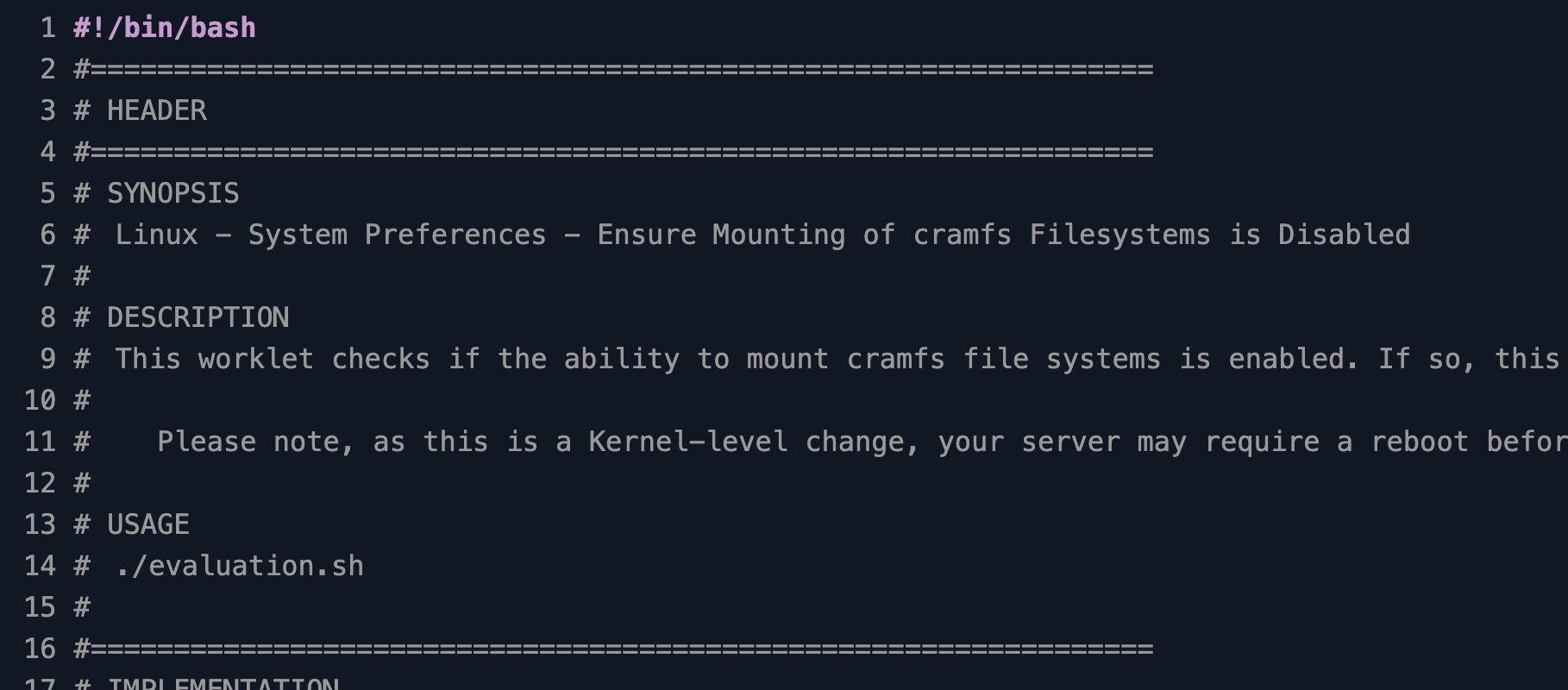
Linux - System Preferences - Ensure Mounting of Cramfs Filesystems is Disabled
Block cramfs filesystem mounting on Linux endpoints to close a CIS-flagged kernel module attack surface
Worklet Details
What the cramfs mount blocker does
This Automox Worklet™ blocks the Linux kernel from mounting the cramfs compressed read-only filesystem. The Worklet writes /etc/modprobe.d/cramfs.conf with the directive install cramfs /bin/true, which tells modprobe to run /bin/true instead of loading the cramfs module the next time the kernel asks for it. If cramfs is already loaded on the running host, the Worklet also calls rmmod cramfs so the change takes effect immediately rather than at the next reboot.
The Worklet runs across RHEL, CentOS, Rocky, Alma, Fedora, Ubuntu, and Debian endpoints under the Automox agent. It uses only base utilities (lsmod, modprobe, rmmod, and a shell redirect to write the conf file), so there is no package manager dependency and no distribution-specific code path. The evaluation phase is idempotent: hosts that already have the install override staged report compliant and skip remediation entirely.
Cramfs is a legacy compressed read-only filesystem format from the embedded Linux era. It is rarely used in modern enterprise deployments and is not the same code path as squashfs or initramfs. Leaving the cramfs module loadable on a server, container host, or developer workstation creates a kernel attack surface that nothing in your supported workload needs.
Why block cramfs on Linux endpoints
Every loadable kernel module is code running at ring zero, with full access to memory and hardware. CIS Benchmark control 1.1.1.1 calls out cramfs as one of four uncommon filesystems (alongside freevxfs, jffs2, and hfs) that should be disabled on a hardened host because the module is reachable from user space through autofs and mount helpers. An attacker who can deliver a crafted cramfs image to a writable mount path can trigger module load and exercise filesystem parsing code that sees very little production scrutiny. Past kernel CVEs in the cramfs driver have included integer overflows and out-of-bounds reads that lead to local privilege escalation.
A recurring Automox policy against your Linux server and workstation groups blacklists cramfs across the long tail of endpoints that never see a hardening pass by hand, including build images, container hosts, and contractor workstations. A re-imaged server or a host that pulls a stale baseline still ends up with cramfs blocked at the next evaluation cycle, so CIS recommendations 1.1.1.x hold without per-host modprobe verification.
How cramfs mount blocking works
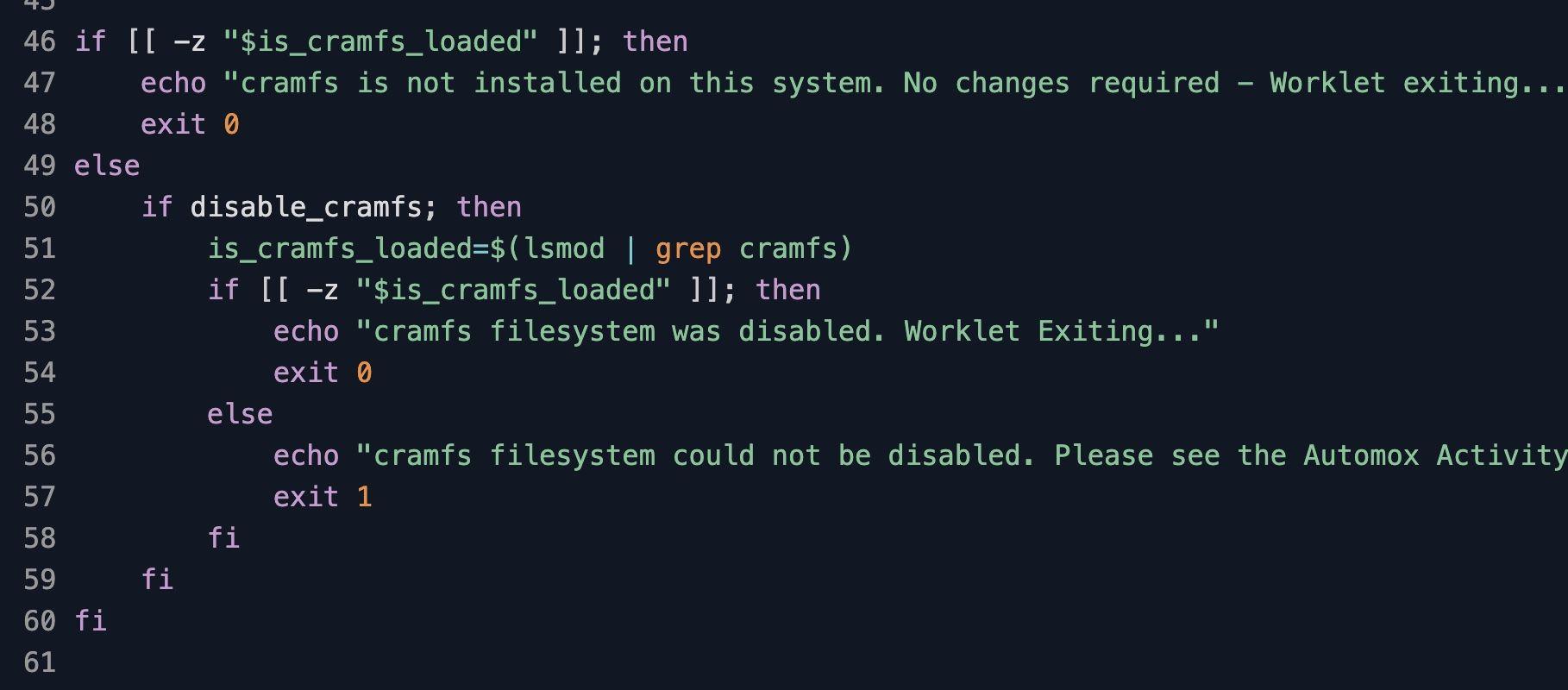
Evaluation phase: The Worklet first runs modprobe -n -v cramfs to confirm the kernel actually has a cramfs module path to load. If modprobe reports the module is not installed, the script exits 0 and the host reports compliant with no further action. If cramfs is installed, the Worklet then runs lsmod | grep cramfs to test whether the module is loaded on the running kernel. An empty result exits 0 as compliant; a non-empty result exits 1 and schedules remediation.
Remediation phase: When cramfs is loaded, the remediation script touches /etc/modprobe.d/cramfs.conf and writes the line install cramfs /bin/true to it, then calls rmmod cramfs to unload the module from the running kernel. After unloading, the script re-runs lsmod | grep cramfs to confirm the module is gone, exiting 0 on success and 1 with stderr captured in the Automox activity log if the unload failed. The persistent conf file blocks future modprobe cramfs invocations, including the indirect ones triggered by mount -t cramfs, and the live rmmod removes the in-memory copy so the change does not depend on a reboot.
Cramfs hardening requirements
Linux endpoint running RHEL, CentOS, Rocky, Alma, Fedora, Ubuntu, or Debian with a stock kernel that builds cramfs as a loadable module
Root or sudo privileges (the default Automox agent context already meets this)
Write access to /etc/modprobe.d/ on the endpoint filesystem
Base utilities lsmod, modprobe, and rmmod available on PATH (provided by the kmod package on every supported distribution)
Automox agent version 1.42.22 or later
Confirm cramfs is not in active use on the endpoint before deploying broadly; legacy embedded firmware images and a small number of vendor appliances mount cramfs at boot
Expected cramfs state after remediation
After remediation, /etc/modprobe.d/cramfs.conf exists and contains the line install cramfs /bin/true. The cramfs module is no longer in the lsmod output, and any subsequent modprobe cramfs call exits without loading the module because modprobe runs /bin/true and reports success on a no-op. The endpoint satisfies CIS Benchmark control 1.1.1.1 for the cramfs sub-control and contributes to the broader 1.1.1 family covering uncommon filesystems.
You can validate the change from a shell on the endpoint with three commands. Run cat /etc/modprobe.d/cramfs.conf and confirm it shows install cramfs /bin/true. Run lsmod | grep cramfs and confirm it returns no rows. Run modprobe -n -v cramfs and confirm the output is install /bin/true, which proves the override is the path modprobe will take. Exit code 0 on the Worklet remediation script means all three checks will pass; a non-zero exit code with stderr captured in the Automox activity log means the conf write or the rmmod call failed and the host needs a closer look.
Recurring evaluation keeps the state in place. If a configuration management tool, a base image refresh, or an admin error removes /etc/modprobe.d/cramfs.conf, the next Automox policy run detects the missing override and re-applies it without manual intervention. That last-mile remediation across the full Linux fleet is what turns a CIS finding from a recurring audit ticket into a closed control.
Loading...
Consider Worklets your easy button
What's a Worklet?
A Worklet is an automation script, written in Bash or PowerShell, designed for seamless execution on endpoints – at scale – within the Automox platform. Worklets deploy named-CVE mitigations within hours of disclosure, perform configuration, remediation, and install or remove applications and settings across Windows, macOS, and Linux.

AUTOMOX + WORKLETS™
Supercharge your endpoint management
Uncover new possibilities with simple, powerful automation.
By submitting this form you agree to our Master Services Agreement and Privacy Policy