Windows - Security - Disable Weak NTLM Versions
Disable LM and NTLMv1 authentication on Windows endpoints by enforcing LmCompatibilityLevel 5 with rollback backup
Worklet Details
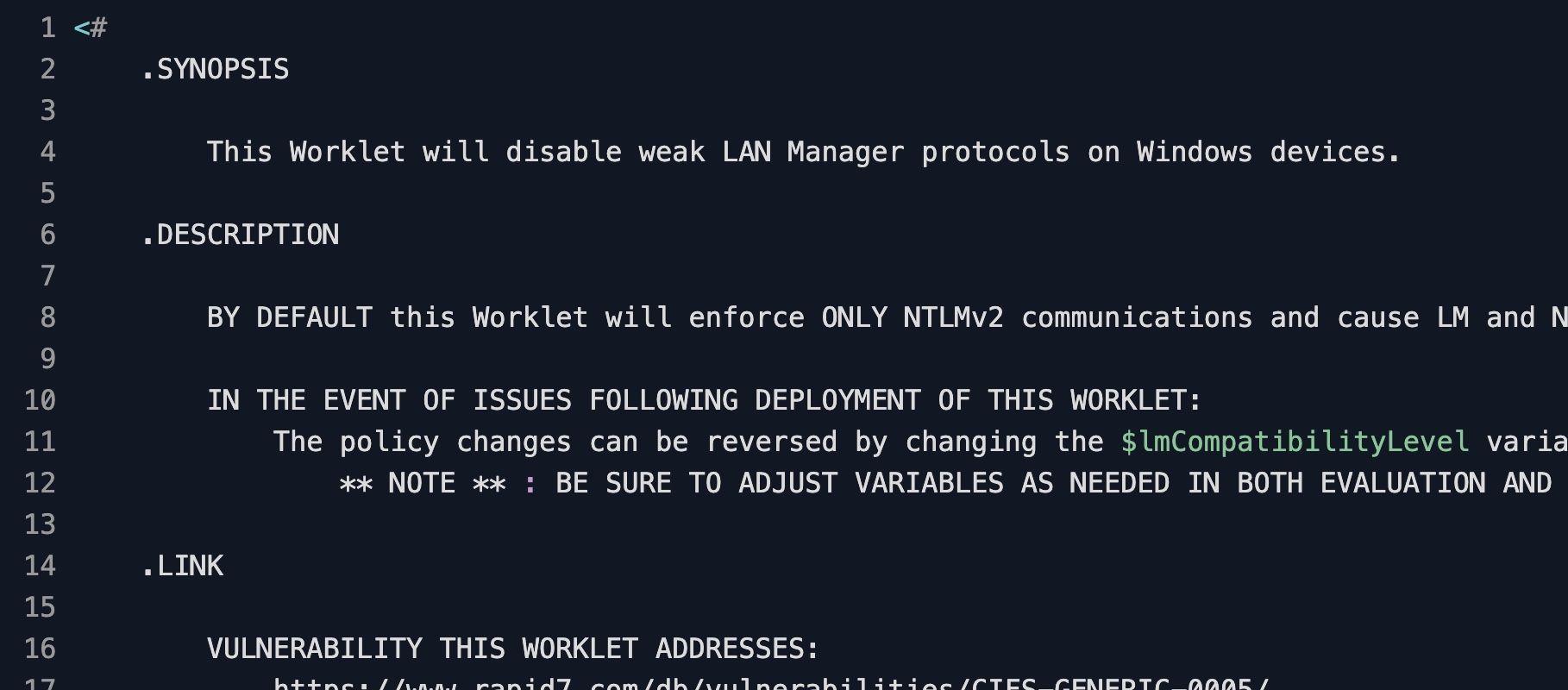
What the weak NTLM disabler does
This Automox Worklet™ hardens Windows authentication by writing LmCompatibilityLevel = 5 to HKLM:\SYSTEM\CurrentControlSet\Control\Lsa. At level 5, the endpoint sends NTLMv2 responses only and refuses both LM and NTLMv1 from clients and servers. This is the strictest setting on the Microsoft compatibility scale and is the value called out by CIS Benchmark 2.3.11.7, "Network security: LAN Manager authentication level."
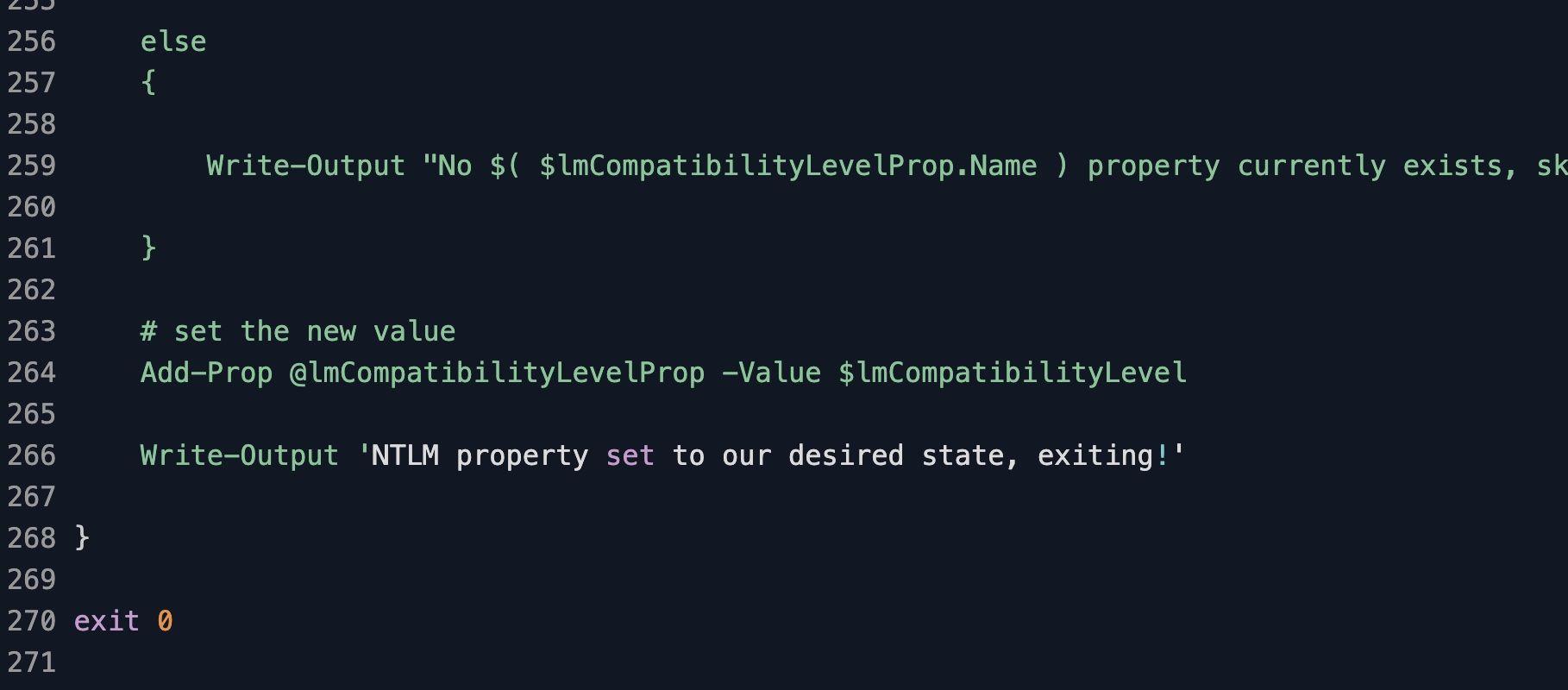
Before remediation rewrites the value, the Worklet copies the existing LmCompatibilityLevel to a sibling property named LmCompatibilityLevelBAK in the same Lsa key. The backup is what makes the policy safe to schedule against a fleet you do not own end-to-end. If a downstream service breaks because it still negotiates NTLMv1, you can flip the policy variable to $null and the remediation script will restore the original value from the backup or remove the property entirely to return to default Windows behavior.
The Worklet only touches LmCompatibilityLevel. Related NTLM hardening values – NoLMHash under the same Lsa key, and NtlmMinClientSec / NtlmMinServerSec under HKLM:\SYSTEM\CurrentControlSet\Control\Lsa\MSV1_0 (typically set to 0x20080000 for NTLMv2 session security with 128-bit encryption) – are intentionally out of scope so this Worklet stays narrowly auditable. Pair it with companion Worklets if your baseline requires the full CIS 2.3.11.x set.
Why disable LM and NTLMv1 across the fleet
LM and NTLMv1 are the soft target every modern credential-theft toolkit aims at first. Responder, Inveigh, and ntlmrelayx routinely capture LM and NTLMv1 challenge-response pairs off the wire and crack them in hours on commodity GPU hardware, because LM splits the password into two seven-character halves over DES and NTLMv1 has no per-session salt. NTLMv2 closes both gaps with HMAC-MD5 over a client-supplied timestamp and challenge, which is why CIS, NIST 800-53 IA-7, and Microsoft's own LSA hardening guidance all recommend level 5. Rapid7 tracks the underlying exposure as CIFS-GENERIC-0005.
This Worklet writes LmCompatibilityLevel=5 to HKLM:\SYSTEM\CurrentControlSet\Control\Lsa on every Windows endpoint in scope, which forces NTLMv2 negotiation and rejects LM and NTLMv1 responses outright. A single laptop joined to a domain on level 1 quietly negotiates LM for anything that asks until the next evaluation reasserts the value. The Rapid7 CIFS-GENERIC-0005 finding clears with deterministic per-host evidence rather than waiting for a scan window.
How NTLM downgrade prevention works
Evaluation phase: The evaluation script reads LmCompatibilityLevel from HKLM:\SYSTEM\CurrentControlSet\Control\Lsa using a Test-Reg helper that wraps Get-ItemPropertyValue. If the current value does not match the policy variable $lmCompatibilityLevel (5 by default), evaluation exits 1 and the endpoint is queued for remediation. If the value matches, evaluation exits 0 and the endpoint is reported compliant without further action.
Remediation phase: When the policy variable is set (default 5), the remediation script first checks whether LmCompatibilityLevel already exists and, if so, copies its value to LmCompatibilityLevelBAK using Add-Prop, then writes the new value with the same helper. When the policy variable is $null, remediation restores LmCompatibilityLevel from LmCompatibilityLevelBAK if a backup is present, or removes the property entirely via Remove-ItemProperty so the endpoint reverts to default Windows behavior. The script always exits 0 on completion.
NTLM hardening requirements
Windows 7 or Windows Server 2008 R2 and later (the LmCompatibilityLevel key is present on every supported Windows build)
Administrative rights to write under HKLM\SYSTEM\CurrentControlSet\Control\Lsa; the Automox agent runs as SYSTEM and satisfies this by default
Every authentication partner in scope must support NTLMv2: domain controllers, file servers, SMB shares, on-premises identity providers, and any legacy appliance that still relies on integrated Windows authentication
Quarantine or exempt Windows XP, Server 2003, and old NAS firmware that cannot negotiate NTLMv2; these endpoints will lose authentication if forced to level 5
Adjust the $lmCompatibilityLevel variable in both evaluation.ps1 and remediation.ps1 if you need a different level (4 = refuse LM only, 3 = NTLMv2 send only, $null = remove the key)
Expected NTLM state after remediation
After a successful run, LmCompatibilityLevel under HKLM:\SYSTEM\CurrentControlSet\Control\Lsa reads 5 (REG_DWORD), and LmCompatibilityLevelBAK in the same key holds whatever value was there before remediation – often missing entirely on a clean install, 3 on legacy domain-joined builds, or 1 on long-lived workstation images. The endpoint will continue to accept NTLMv2 from inbound clients but will refuse any LM or NTLMv1 challenge-response, including from cached credentials replayed by a relay tool on the same broadcast domain.
Validate with Get-ItemPropertyValue -Path HKLM:\SYSTEM\CurrentControlSet\Control\Lsa -Name LmCompatibilityLevel from an elevated PowerShell prompt; the call should return 5. To confirm the backup wrote correctly, run the same command against LmCompatibilityLevelBAK. For an end-to-end check, run klist purge then attempt to authenticate to a remote SMB share and review Security event 4624 on the target; the LogonProcessName should be NtLmSsp and the AuthenticationPackageName should be NTLM with no LM or NTLMv1 negotiations recorded. The setting takes effect on the next interactive logon or service authentication – a restart is not required, but a logoff/logon cycle clears any cached session tickets that were issued under the prior level.
Loading...
Consider Worklets your easy button
What's a Worklet?
A Worklet is an automation script, written in Bash or PowerShell, designed for seamless execution on endpoints – at scale – within the Automox platform. Worklets deploy named-CVE mitigations within hours of disclosure, perform configuration, remediation, and install or remove applications and settings across Windows, macOS, and Linux.

AUTOMOX + WORKLETS™
Supercharge your endpoint management
Uncover new possibilities with simple, powerful automation.
By submitting this form you agree to our Master Services Agreement and Privacy Policy