Live Endpoint Visibility and One-Click Remediation in Every Ticket
Zendesk + Automox
Connect Automox with Zendesk to bring endpoint information and patch context into support tickets and trigger key remediation actions from the ticket sidebar. Reduce tool switching, speed resolution, and improve coordination between IT support and security teams.
Why your helpdesk needs endpoint context
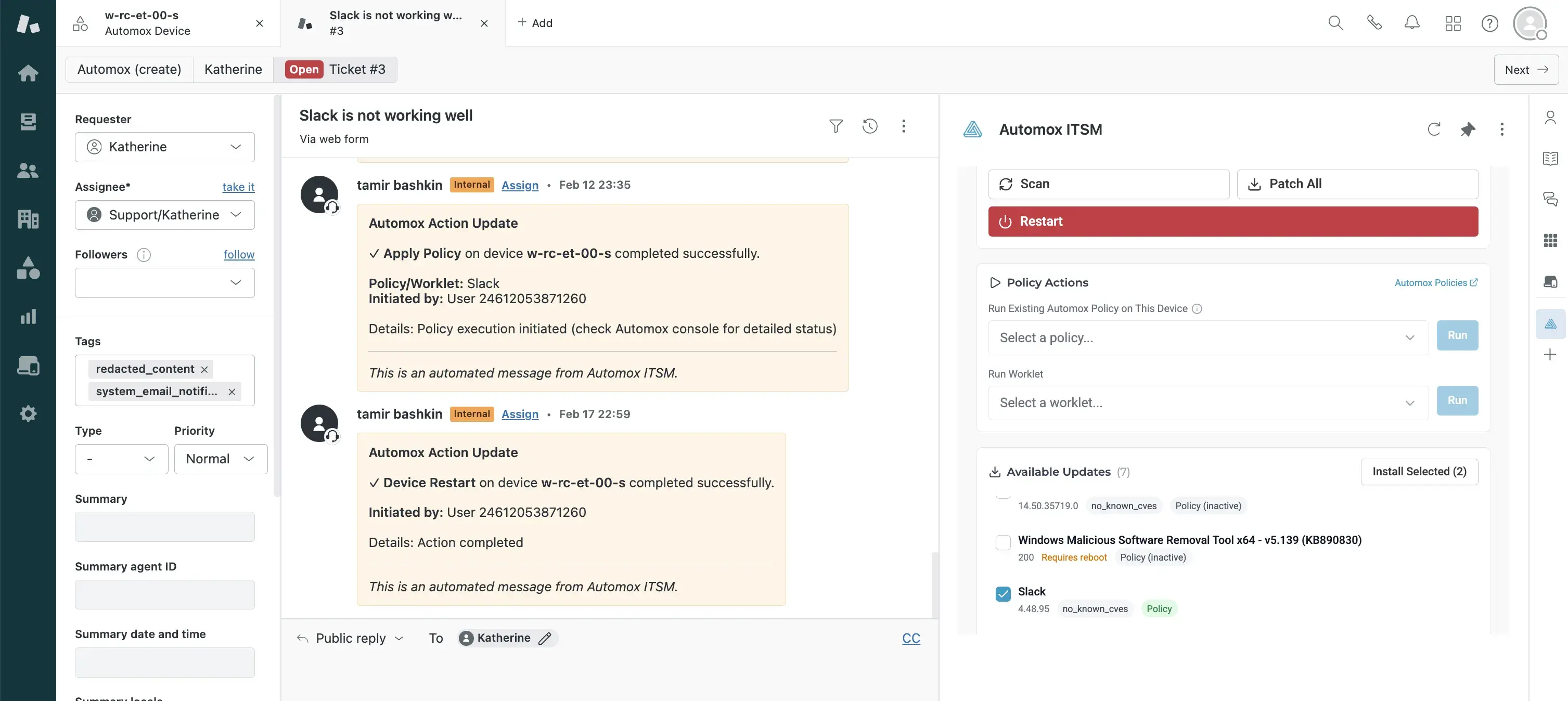
Every Zendesk ticket surfaces Automox device context – patch status, policy coverage, and health – so you can triage faster
Scan, patch, restart, and run policies without leaving the ticket
Support can scan, patch, or restart an endpoint from the ticket instead of escalating to another team
IT and security share the same patch and policy data in every ticket, making coordination automatic
What you can do from the ticket
Triage faster with endpoint context at hand
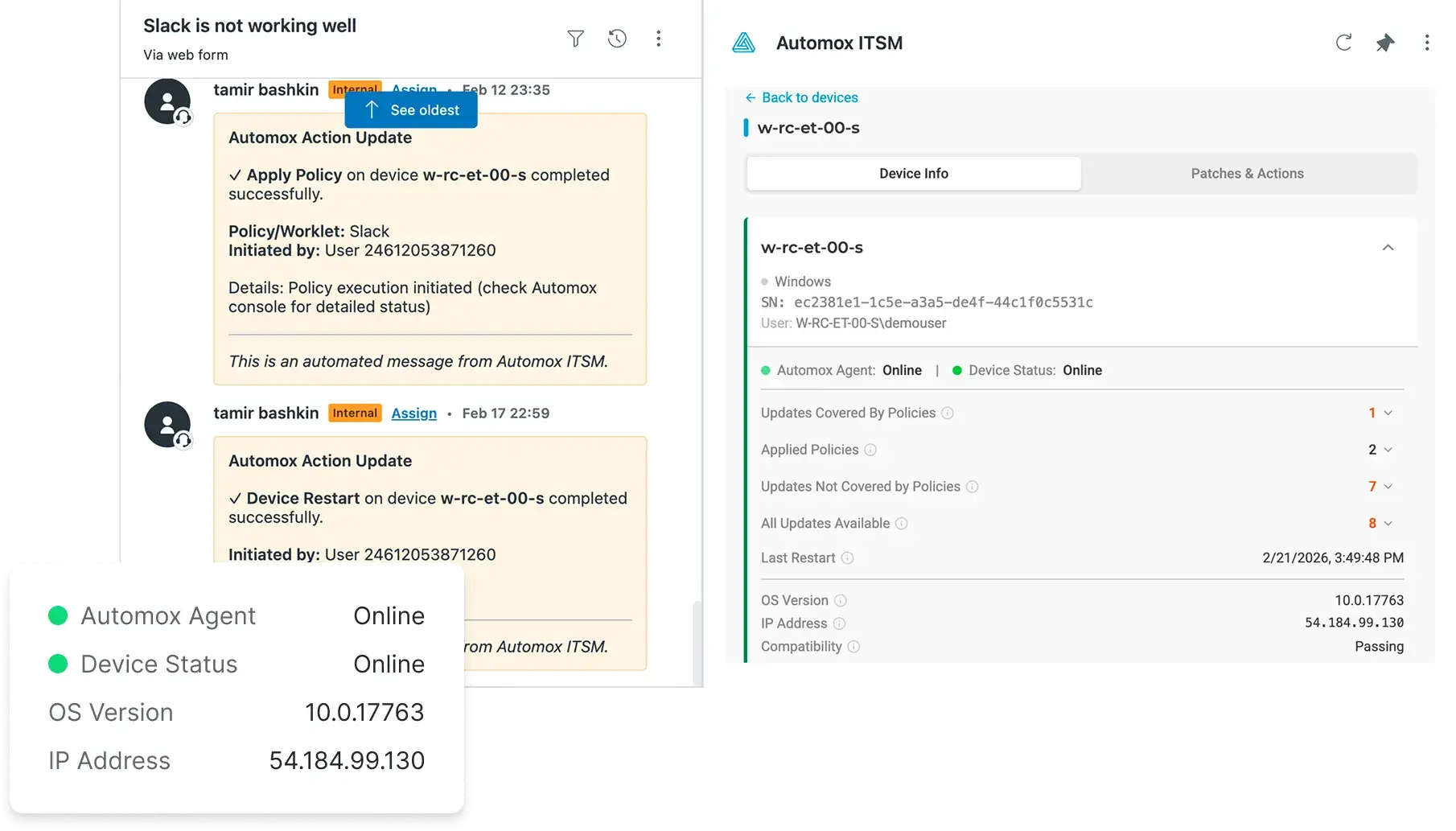
Endpoint hostname, OS, patch exposure, policy coverage, status, and last check-in are all in the Zendesk sidebar when you open a ticket. No more jumping between screens to check on an endpoint.
Spend less time finding the right endpoint
When a ticket comes in, the app suggests the matching endpoint based on requester context. You can also search manually or link a user to an endpoint to speed up future tickets.
Know what's missing and what to prioritize
Every missing patch for the matched endpoint is visible in the ticket – along with policy coverage, target version, and CVE score – so you can decide what to fix first.
Take action from the ticket sidebar
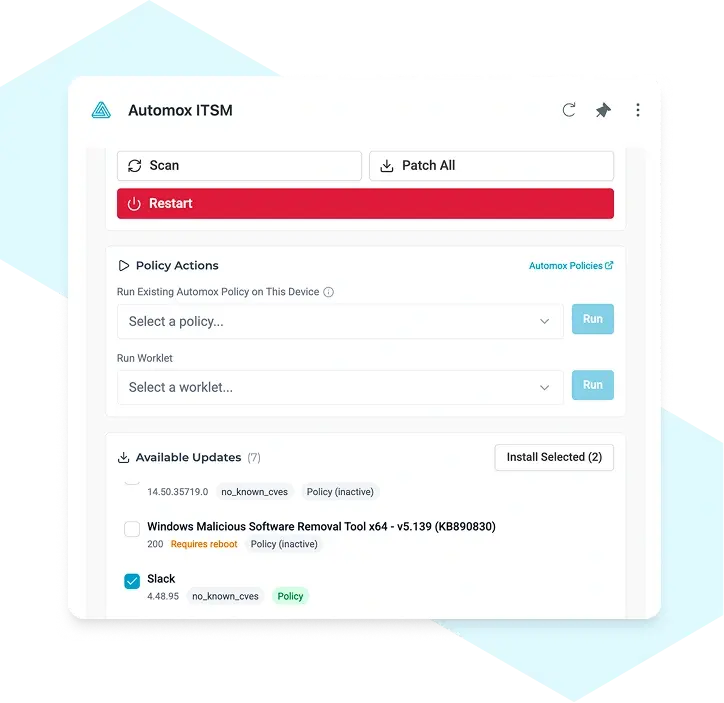
Scan, patch, run a policy, restart the endpoint, or restart the Automox agent directly from the sidebar. If an update isn't covered by a policy, create one via deep link.
Inventory sync
Automox syncs your endpoint inventory into Zendesk nightly, so your team can search and report on endpoints from the same tool they work tickets in.
Make IT Work
Connect
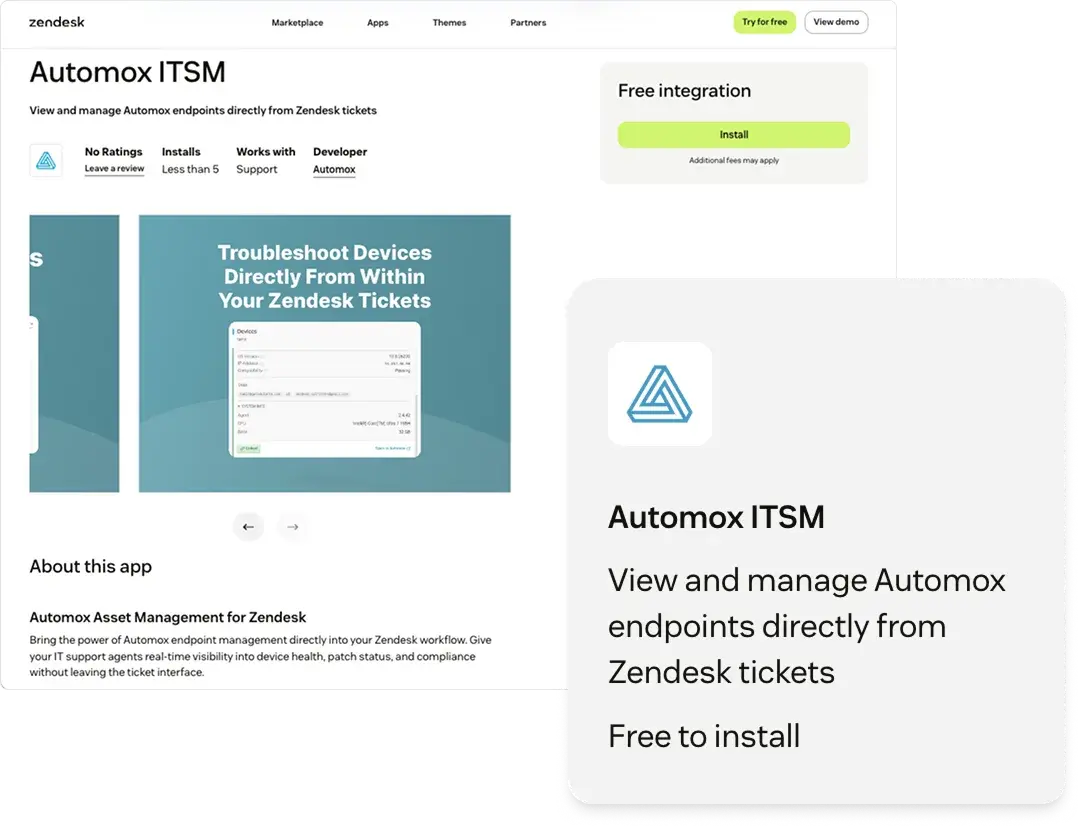
Install the Automox ITSM app from the Zendesk Marketplace and connect Zendesk to Automox via an API integration.
Triage
Automatically match tickets to endpoints using requester context, with search and user-to-device linking to confirm the right device. Automox syncs your device inventory nightly into Zendesk.
Fix
Scan, patch, run a policy, or restart an endpoint directly from the Zendesk sidebar. Go from ticket to resolution in one workflow.
FAQ
Install it from the Zendesk Marketplace and connect it to your Automox environment.
View endpoint and patch context in the ticket. You can also scan, patch, run a policy, or restart an endpoint from the sidebar.
The app suggests a match based on ticket context. You can also search manually or link a user to an endpoint.
Access and actions follow Automox permissions so you can control what the integration can (and can’t) do.