
Tenable found it.Now fix it faster.
Close the loop between what Tenable finds and what your team can fix.

Integration demo by Landon Miles, Senior Technical Marketing & Applied AI Manager
Tenable identifies exposure. Automox brings those findings directly into your remediation workflow. Your team can see what's patchable, review affected endpoints and CVEs, and take governed action without leaving Automox.
Fix what you find
Vulnerability scanners are good at finding exposure. Turning that exposure into remediation is where teams lose time: exporting findings, cross-referencing endpoints, deciding what's patchable, then switching tools to act.
Map Tenable Vulnerability Management findings to Automox-managed endpoints and installable Automox packages where possible, so your team can focus deploying the fixes instead of another list of vulnerabilities.
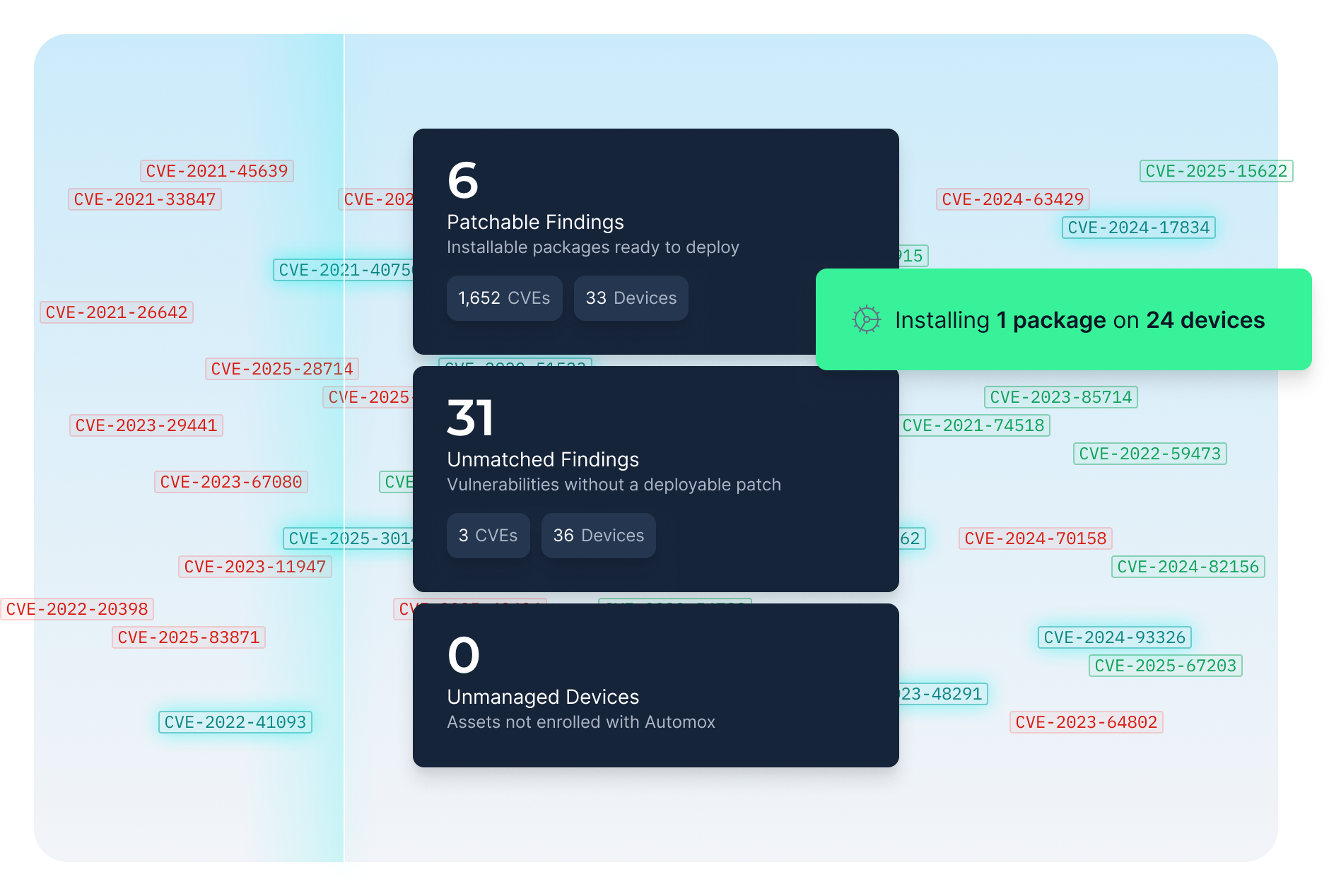
Fix what's patchable
Automox shows the findings it can fix, with affected endpoints and CVEs. Your team knows what to tackle first.
Stay in control
Patch and restart actions require review and confirmation. Your team decides what to remediate and when.
Know what's missing
Findings Automox can't match to a package stay visible, not hidden. So do Tenable assets unmanaged by Automox.
How it works
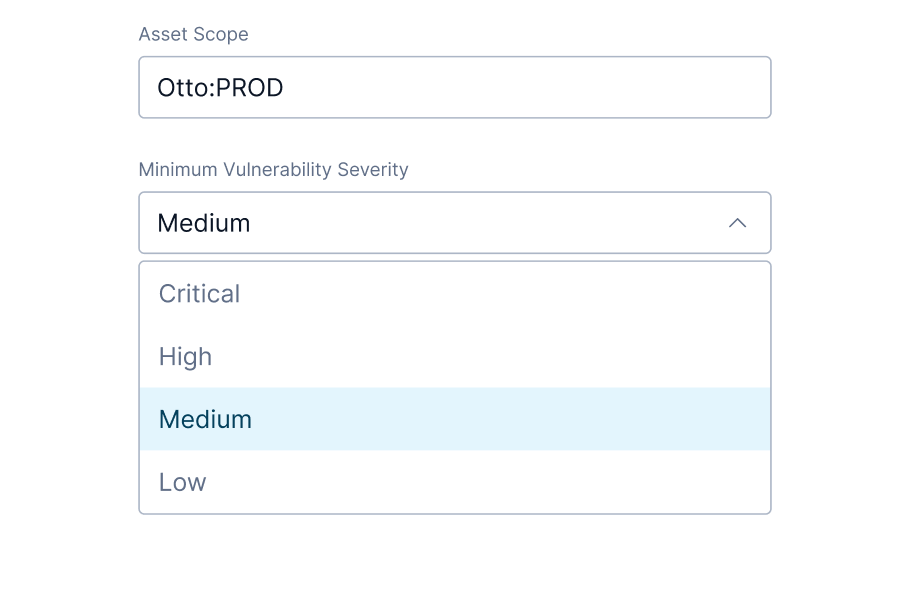
Connect
Link Tenable Vulnerability Management to Automox and scope what gets imported by severity and Tenable asset tags.
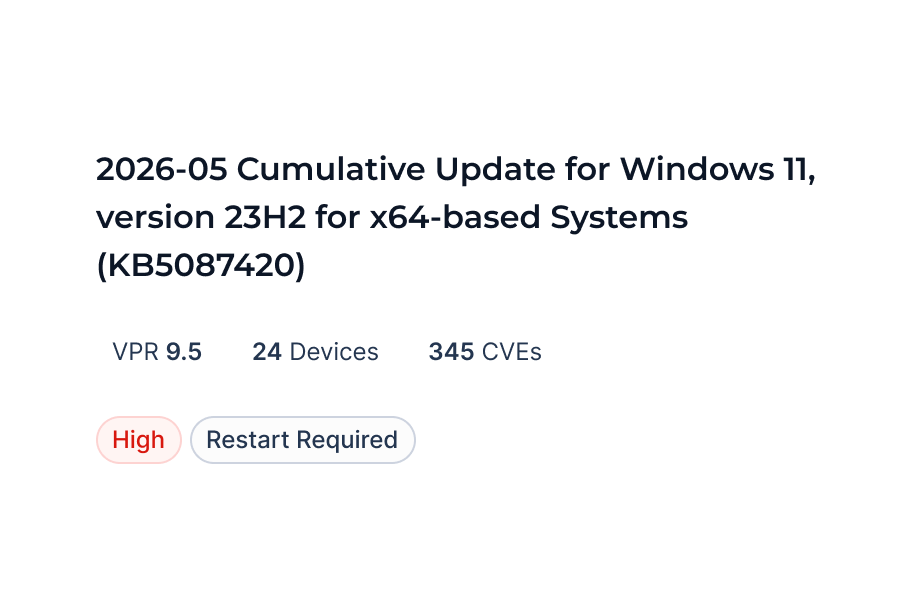
Review
Automox correlates Tenable assets to Automox-managed endpoints and sorts findings into Patchable, Unmatched, and Unmanaged Devices.
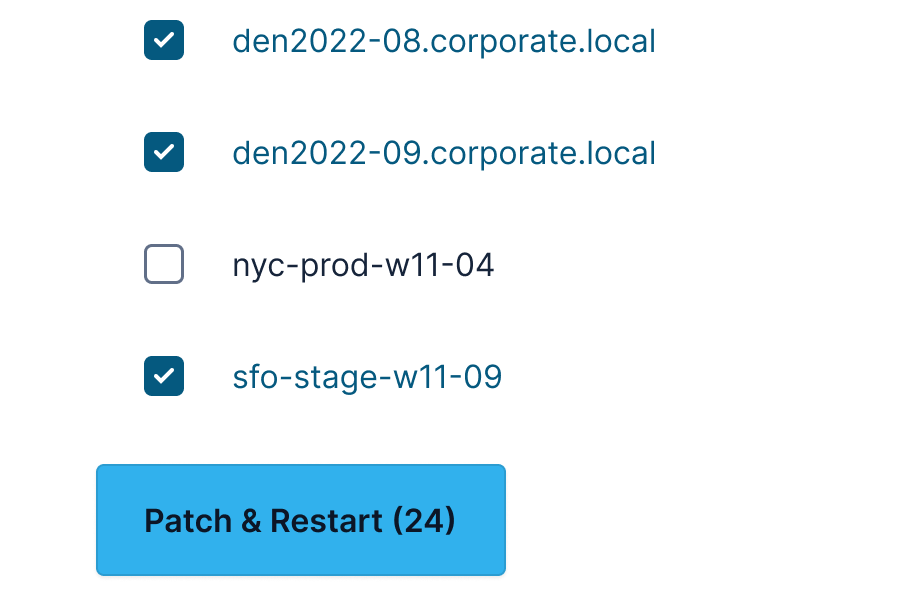
Patch
Select what to remediate, deploy, and track patch success from Automox.
A limited beta, built with customer input
The Tenable integration is currently in limited beta. Automox is working with a small number of Tenable customers to validate match accuracy, endpoint correlation, and the remediation workflow before broader availability.
Get a demo to see how the Automox + Tenable integration closes the gap between discovery and remediation.